Facebook Dating lets you see who has shown interest in you, and it’s free. Here’s where to find it and what to do with it.
Where to Find Your Likes
Facebook Dating lives inside the Facebook mobile app for Android and iPhone, not on the desktop site. You get to it from your existing Facebook account, and your Dating profile is separate from your main one.
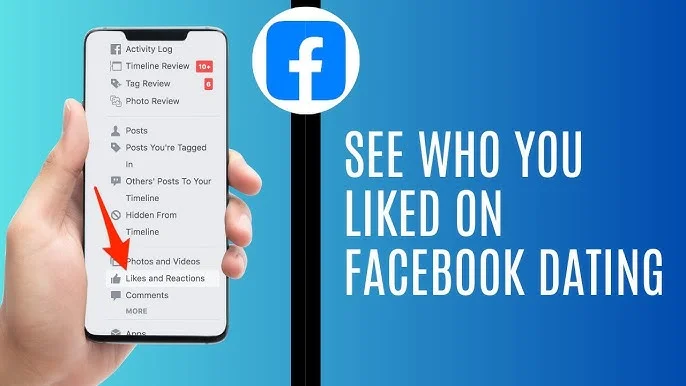
- Open the Facebook app and go to the Dating section. It’s usually under the menu (the three lines or your profile picture), depending on your version.
- Look at the icons or tabs along the top of the Dating screen. They include Profile, Liked You, and Matches.
- Tap Liked You (the label may vary slightly by app version) to see the people who have expressed interest in your profile.
- Tap a profile to view it. From there you can like them back or pass.
When you like someone who has already liked you, you match and can start chatting inside Dating.
Seeing the People You’ve Liked
This is less clear-cut. Facebook doesn’t prominently offer a complete history of everyone you’ve liked, and sources disagree on whether a dedicated list exists. If you can’t find one in your app, try revisiting suggested profiles, and treat your matches as the reliable record of mutual interest.
If You Can’t See Your Likes
- The tab looks empty or greyed out. Update the Facebook app, then close and reopen it.
- The like count keeps rising but nothing shows. Clearing the app’s cache or reinstalling often fixes display glitches.
- Dating isn’t showing at all. Availability depends on age, location, account status, and rollout.
A Note on Privacy
Meta says your current Facebook friends and people who don’t use Dating can’t see your Dating profile, and Dating activity doesn’t appear in your main Feed. Other Dating users can see your profile, though, and anything you share with a match can be copied, so share carefully.
Beware of “Who Liked You” Scams
Since you can see your likes within the app, any website, app, or message offering to reveal who liked you for a fee is unnecessary and potentially a scam. Never give your Facebook login to a third party.
Conclusion
Open Dating, then tap Liked You at the top of the screen. If it isn’t there, update the app and check that Dating is available in your region.